
Korg · Groovebox
volca sample 2 MIDI CC chart
The 19 CC numbers of the volca sample 2 in its factory layout: sample select, start, length, speed, envelopes, level and pan for each part, and the reverb mix.
19 parameters · 5 sections · plain CC, no NRPN
Sample · per part6
Shape · per part6
Mix · per part3
Switches · per part3
Global · ch 11
No parameter matches. A number finds that CC exactly, a word finds a parameter or a section.
How the volca sample 2 takes CC
Channels
The ten parts answer on channels 1 to 10, one part per channel. This is the factory layout.
Reverb Mix on CC 91 is the exception. It is global and listens on channel 1 only.
Before you send
If nothing responds, check that MIDI RX ShortMessage is On. The single channel layout is a different map and is not this one.
The switches follow Korg's own threshold: 64 and up is on.
Source
Transcribed from the volca sample 2 MIDI Implementation rev 1.00, then read against it a second time. The same chart is a printable PDF. Found a wrong number? Write to hello@synthycraft.com and it gets fixed.
Questions people ask
How do I select a sample on the volca sample 2 over MIDI?
With a pair of numbers on the part's channel: Sample MSB on CC 3 and Sample LSB on CC 35.
Which MIDI channel is each part of the volca sample 2?
Parts 1 to 10 answer on channels 1 to 10. Reverb Mix answers on channel 1 for the whole machine.
What CC is sample speed on the volca sample 2?
Speed is CC 43. Speed Chrom, the same control in semitone steps, is CC 49.
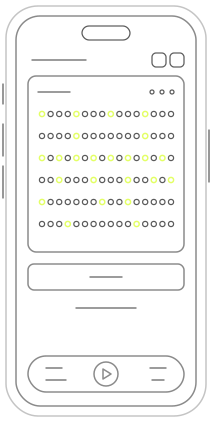
Sequentia for iPhone and iPad
Turn these knobs from your phone
Sequentia has this chart built in. Pick the volca sample 2 and its real controls are on your iPhone or iPad as knobs and switches, with a looper for knob movement and tempo-locked LFOs on any CC.