
Sonicware · Groovebox
LIVEN Bass&Beats MIDI CC chart
The 47 CC numbers of the LIVEN Bass&Beats: pattern controls, the bass track, the drum track, and the controls both tracks share.
47 parameters · 4 sections · plain CC, no NRPN
Pattern8
Bass track17
Drum track17
Either track5
No parameter matches. A number finds that CC exactly, a word finds a parameter or a section.
How the LIVEN Bass&Beats takes CC
Three channels
The chart prints them as PT.CH, BA.CH and DR.CH: pattern, bass and drums.
Same numbers, two meanings
The bass track and the drum track read the same numbers as different parameters. CC 30 is Memory on the bass channel and Level Kick on the drum channel.
Aim a control at the channel of the group it comes from.
Source
Transcribed from the LIVEN Bass&Beats MIDI implementation chart, then read against it a second time. The same chart is a printable PDF. Found a wrong number? Write to hello@synthycraft.com and it gets fixed.
Questions people ask
Why does one CC move different things on the LIVEN Bass&Beats?
The bass and drum tracks share numbers and are told apart by channel.
What CC are the drum levels on the Bass&Beats?
Level Kick, Snare, Hat and Others are CC 30 to 33, on the drum channel.
What CC is glide on the Bass&Beats?
Glide is CC 48, on the bass channel.
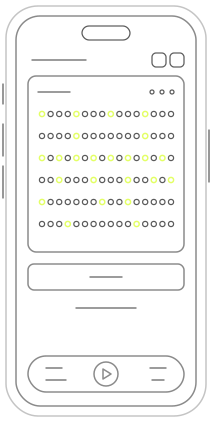
Sequentia for iPhone and iPad
Turn these knobs from your phone
Sequentia has this chart built in. Pick the LIVEN Bass&Beats and its real controls are on your iPhone or iPad as knobs and switches, with a looper for knob movement and tempo-locked LFOs on any CC.