
Sonicware · Synth
LIVEN MEGA SYNTHESIS MIDI CC chart
The 26 CC numbers of the LIVEN MEGA SYNTHESIS: pattern effects, sound select, attack and release, sweep and the track mixer.
26 parameters · 4 sections · plain CC, no NRPN
Pattern7
Sound6
Sweep3
Track10
No parameter matches. A number finds that CC exactly, a word finds a parameter or a section.
How the LIVEN MEGA SYNTHESIS takes CC
What it is
The Mega Drive machine: FM and PSG voices from the console it is modeled on.
Channels
Pattern controls answer on the pattern channel, the rest on each track's own.
Source
Transcribed from the LIVEN MEGA SYNTHESIS MIDI implementation chart, then read against it a second time. The same chart is a printable PDF. Found a wrong number? Write to hello@synthycraft.com and it gets fixed.
Questions people ask
How do I select a sound on the LIVEN MEGA SYNTHESIS over MIDI?
Bank is CC 27 and Sound is CC 28, on the track's channel.
What CC is track level on the MEGA SYNTHESIS?
Track Level is CC 36, Track Pan is CC 35 and Track Mute is CC 45.
Which channels does the MEGA SYNTHESIS use?
A pattern channel for the pattern controls and one channel for each track.
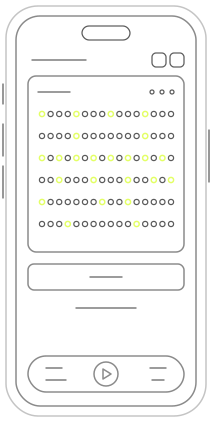
Sequentia for iPhone and iPad
Turn these knobs from your phone
Sequentia has this chart built in. Pick the LIVEN MEGA SYNTHESIS and its real controls are on your iPhone or iPad as knobs and switches, with a looper for knob movement and tempo-locked LFOs on any CC.