Bestseller
macOS · Squarp Rample
Kit Studio for Rample
Build and audition Rample kits on your Mac. Arrange layers, try patterns and export an SD card with the right format and filenames.
- Voices
- 4
- Layers / voice
- 12
- Demo kits
- 15
- Platform
- macOS 14+
Watch
See it in action
Inside the app
Kit Studio for Rample, screen by screen
What’s new
Version 1.0
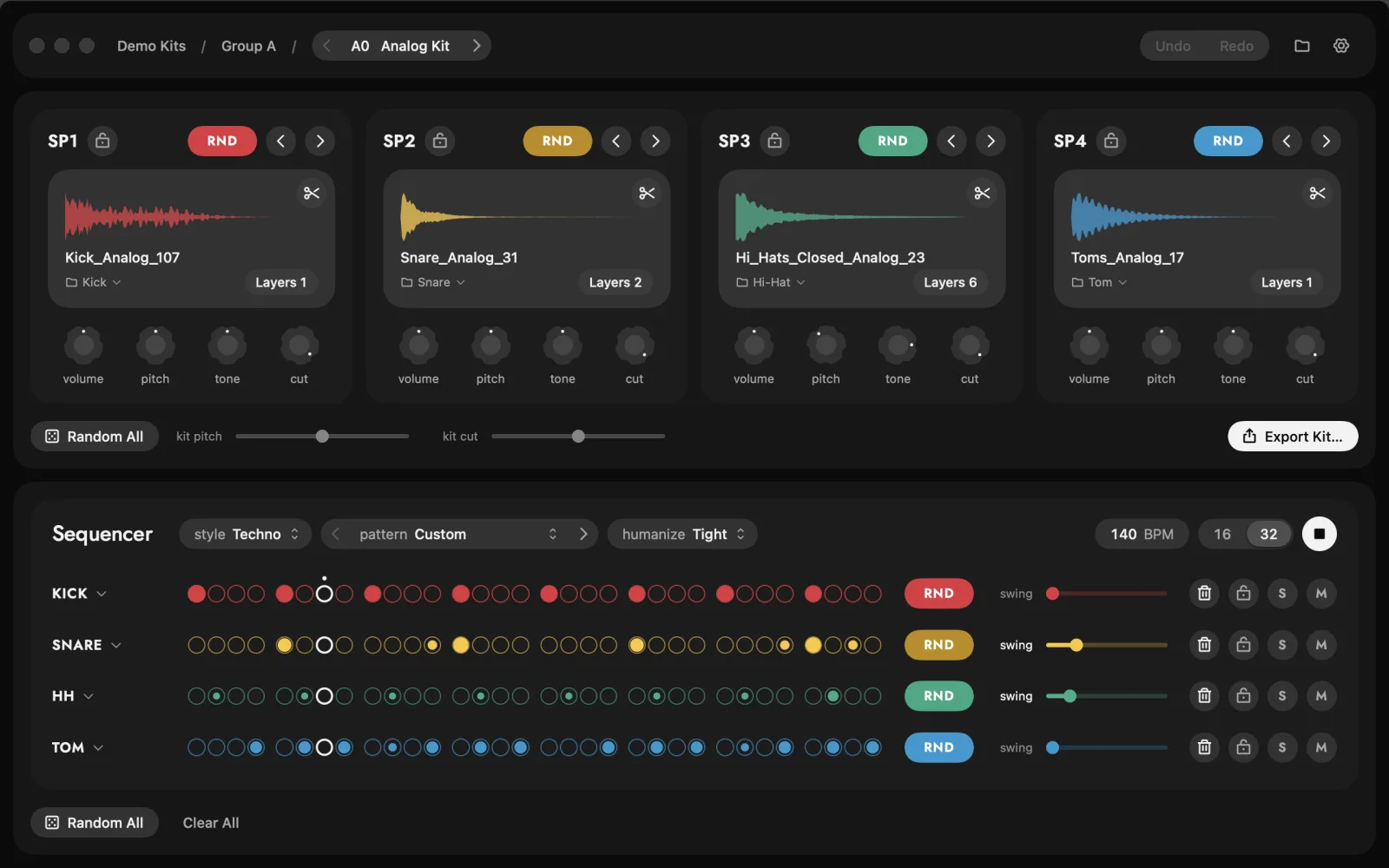
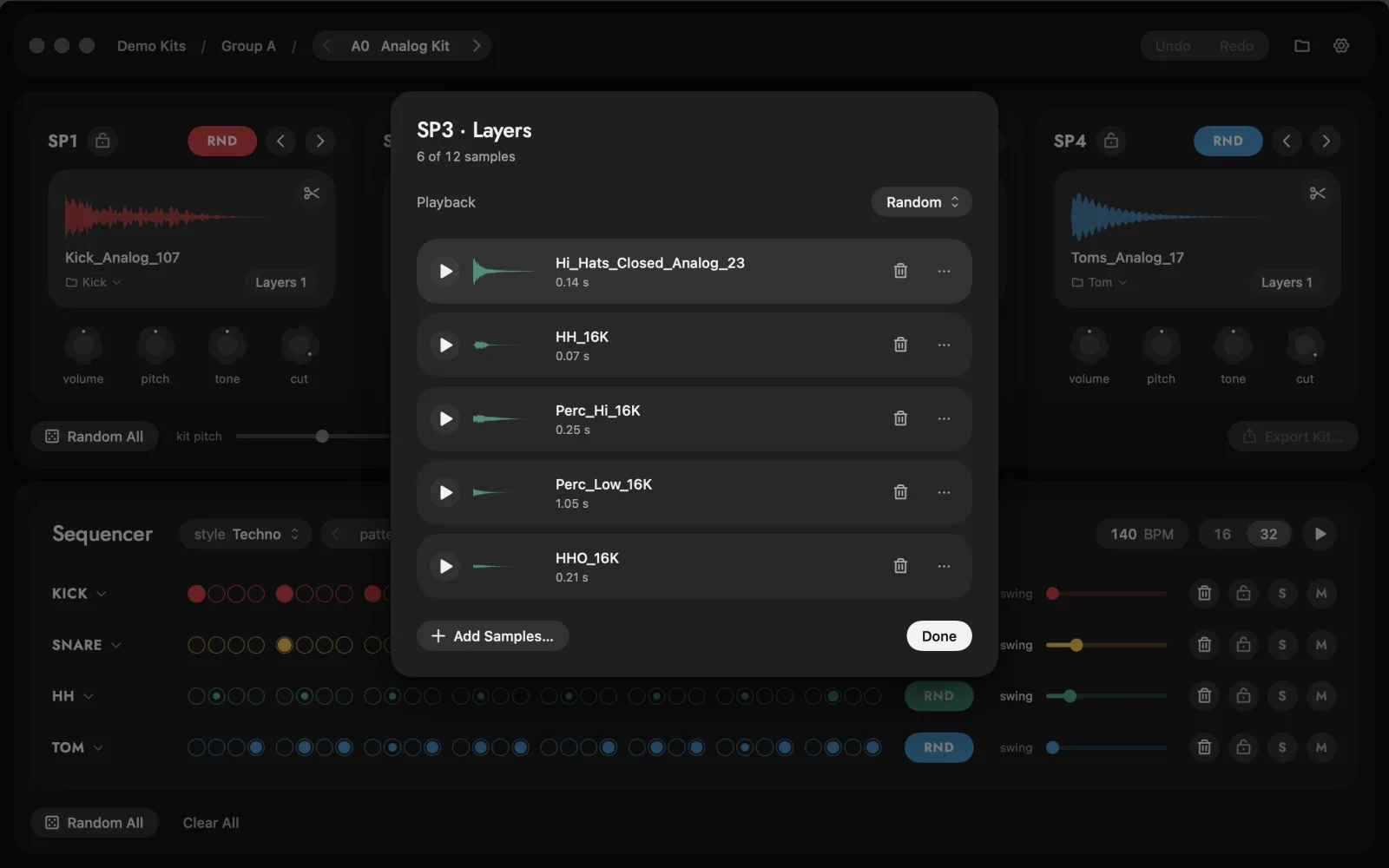
- Four slots, one per voiceEach with its own folder of samples. RND rolls a new one, Random All rolls the whole kit, and a lock keeps a slot as it is.
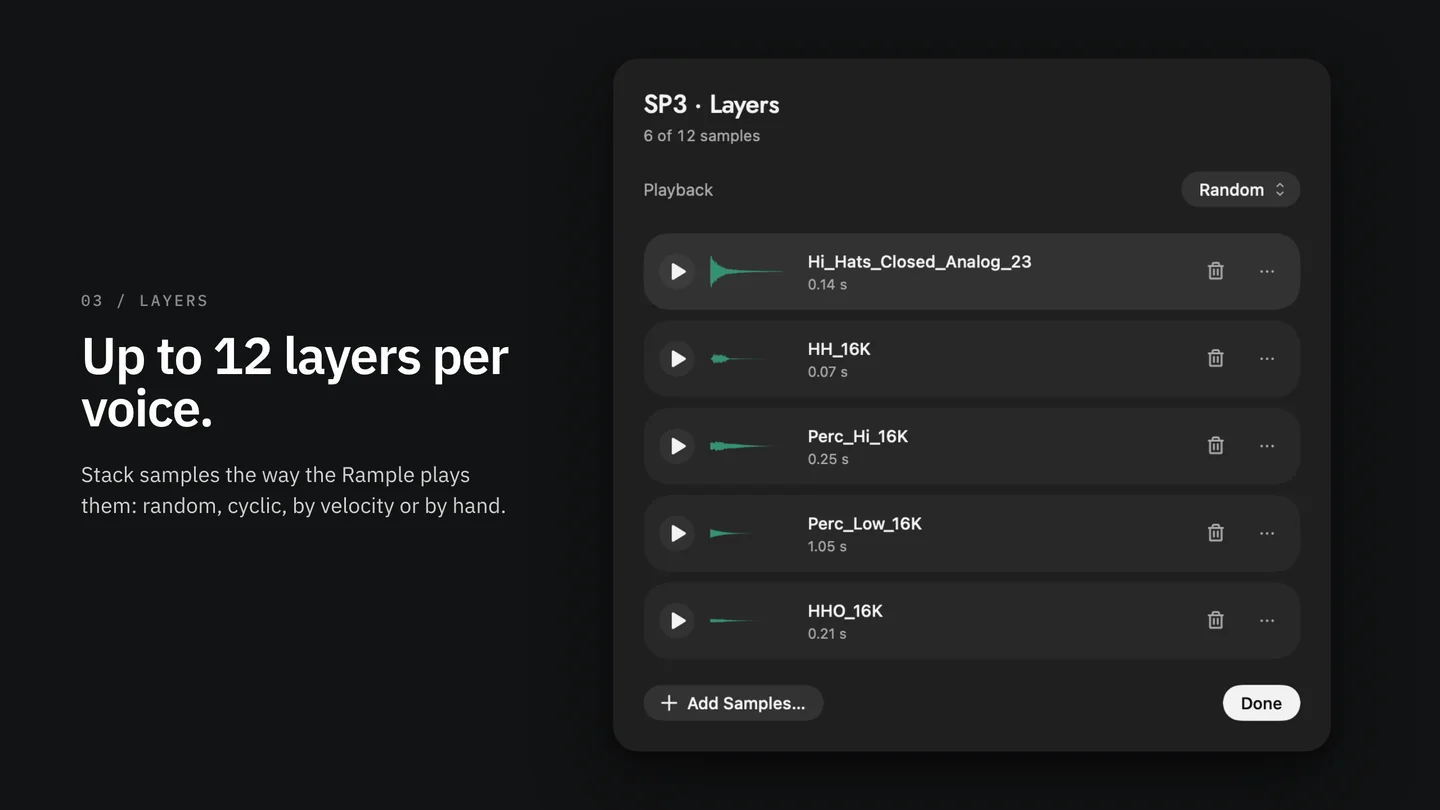
- Up to 12 layers per voiceAnd a sample editor for start, end and fades.
- A step sequencerPatterns in 15 styles, to hear every kit before it reaches the card.
- Balanced kitsVolume, pitch, tone and cut on every slot, a kit pitch slider, and even loudness.
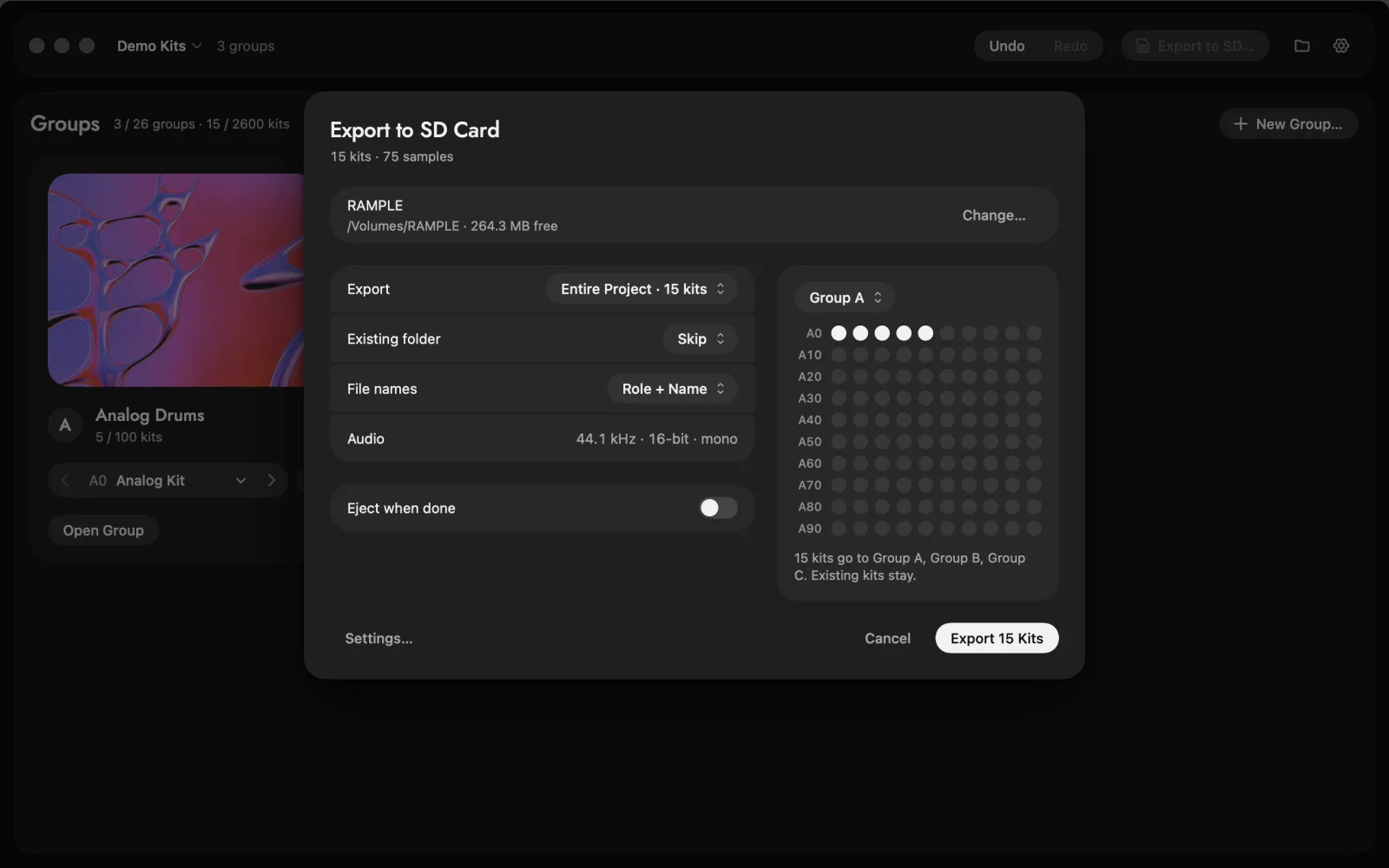
- Export to SD44.1 kHz 16-bit files in the folders the Rample reads.
- Demo kits15 kits and 80 original one-shots, ready on the first launch.
Get started
Set up in three steps
- 1Open or importStart a new project, or import the kits already on your Rample's SD card.
- 2Fill the four voicesPoint each voice at a folder of samples, roll RND until the kit grooves, and add layers where you want them.
- 3Write the cardPut the FAT32 card in your Mac's reader and choose Export to SD. The Rample plays the kits as they are.
Details
What it does
The kit builder for the Squarp Rample
Making Rample kits by hand means hunting for samples, converting each one to 44.1 kHz 16-bit, numbering files and folders, and only hearing the result once the card is back in the module. Kit Studio does all of it on your Mac, and lets you hear every kit before it reaches the card.
Kit Studio for Rample is an independent app by SynthyCraft. It isn't made, endorsed or supported by Squarp Instruments. All support for Kit Studio comes from SynthyCraft: hello@synthycraft.com.
Build a kit in seconds
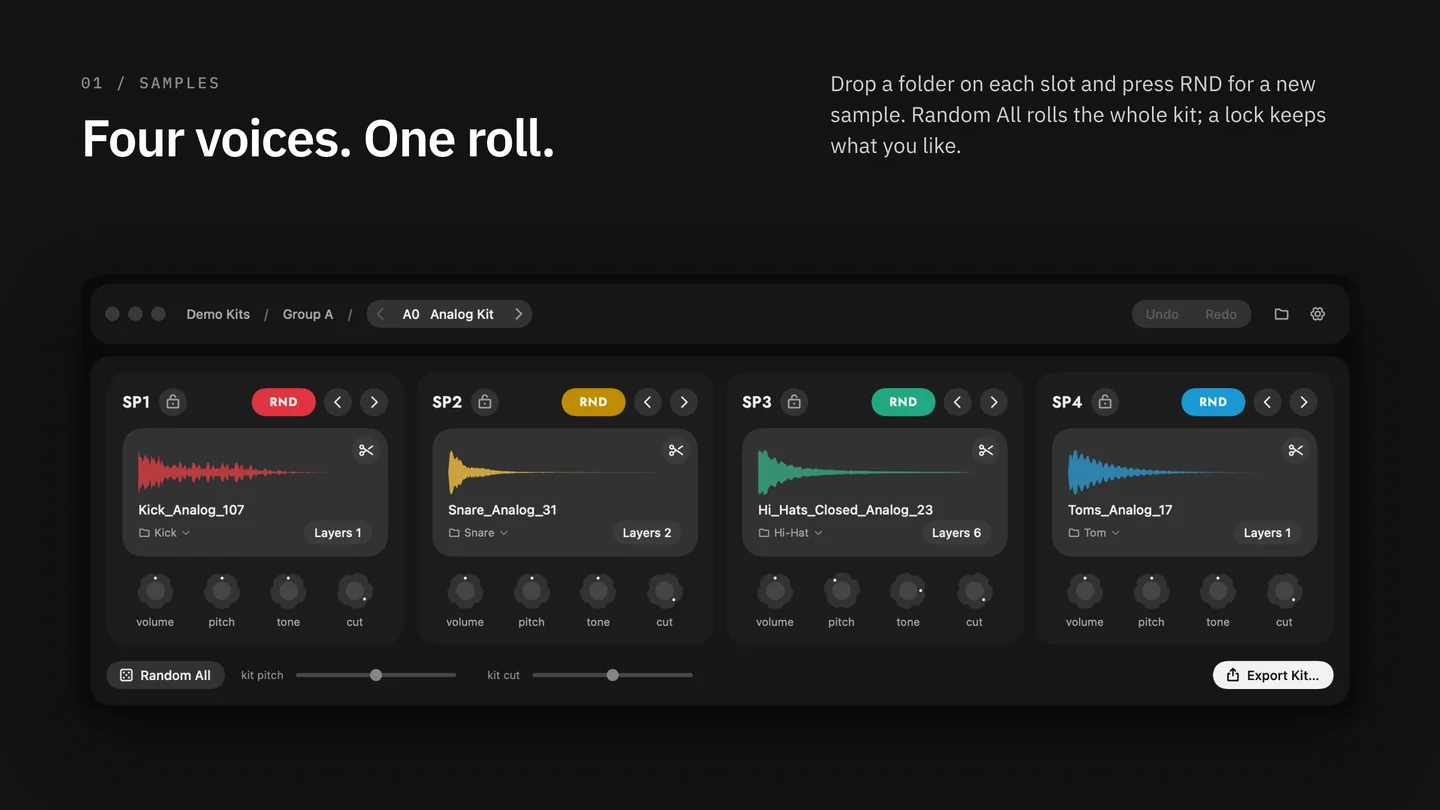
- Four slots, one per Rample voice. Drop a folder of kicks on SP1, snares on SP2, hats on SP3, percussion on SP4.
- RND rolls a new sample from the slot's folder. Random All rolls the whole kit; lock a slot to keep it.
- Up to 12 layers per voice, as the Rample plays them, with a layers window to add, order and audition them.
- A sample editor for start, end and fades, without touching your original files.
Hear it before the card
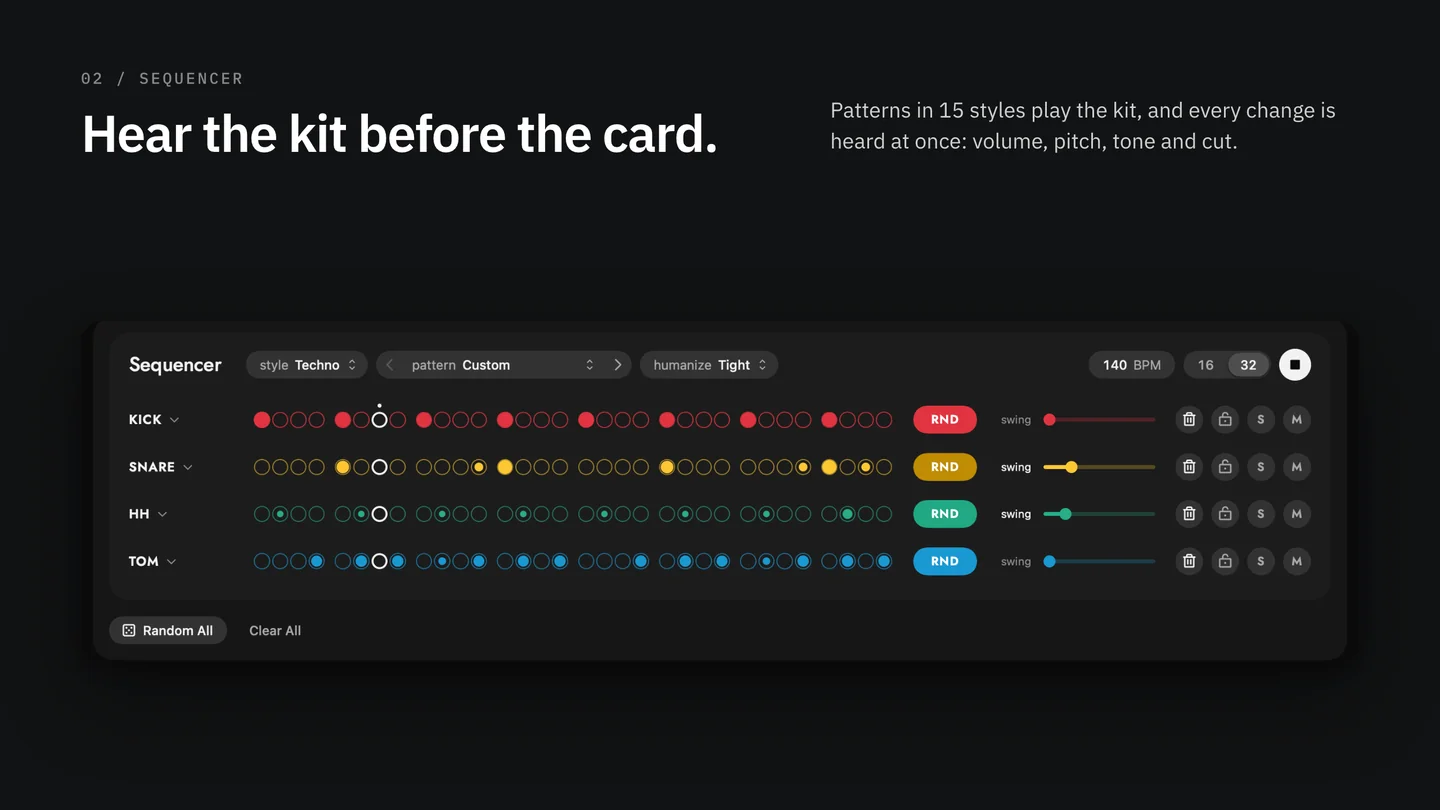
- A built-in step sequencer plays the kit with ready patterns in 15 styles, from techno to breaks. RND on a lane rolls a new part; drag a step to set its velocity.
- Volume, pitch, tone and cut on every slot, and a kit pitch slider for the whole kit. Every change is heard at once.
- Even loudness levels every sample, so a random kit is balanced from the first roll.
Organize your card
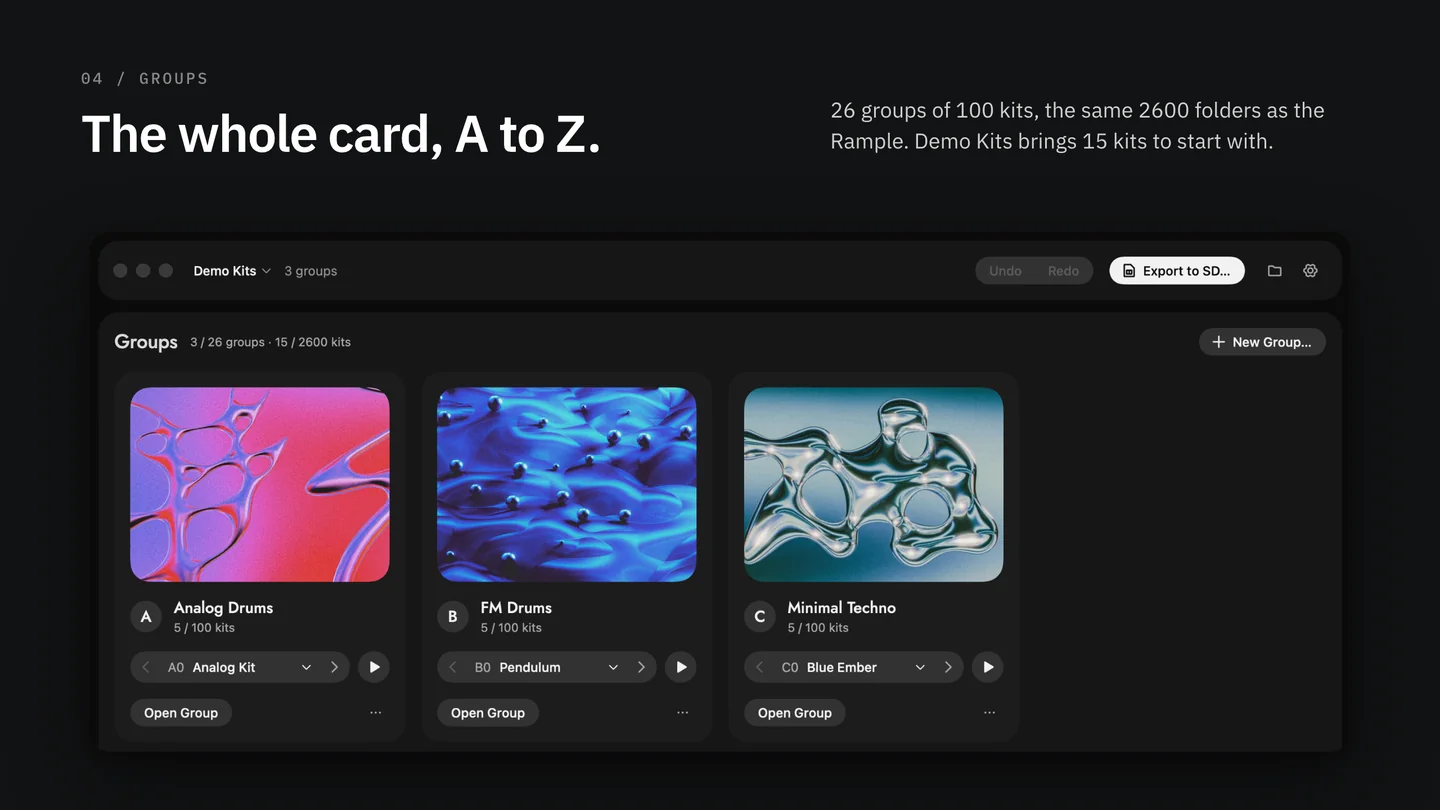
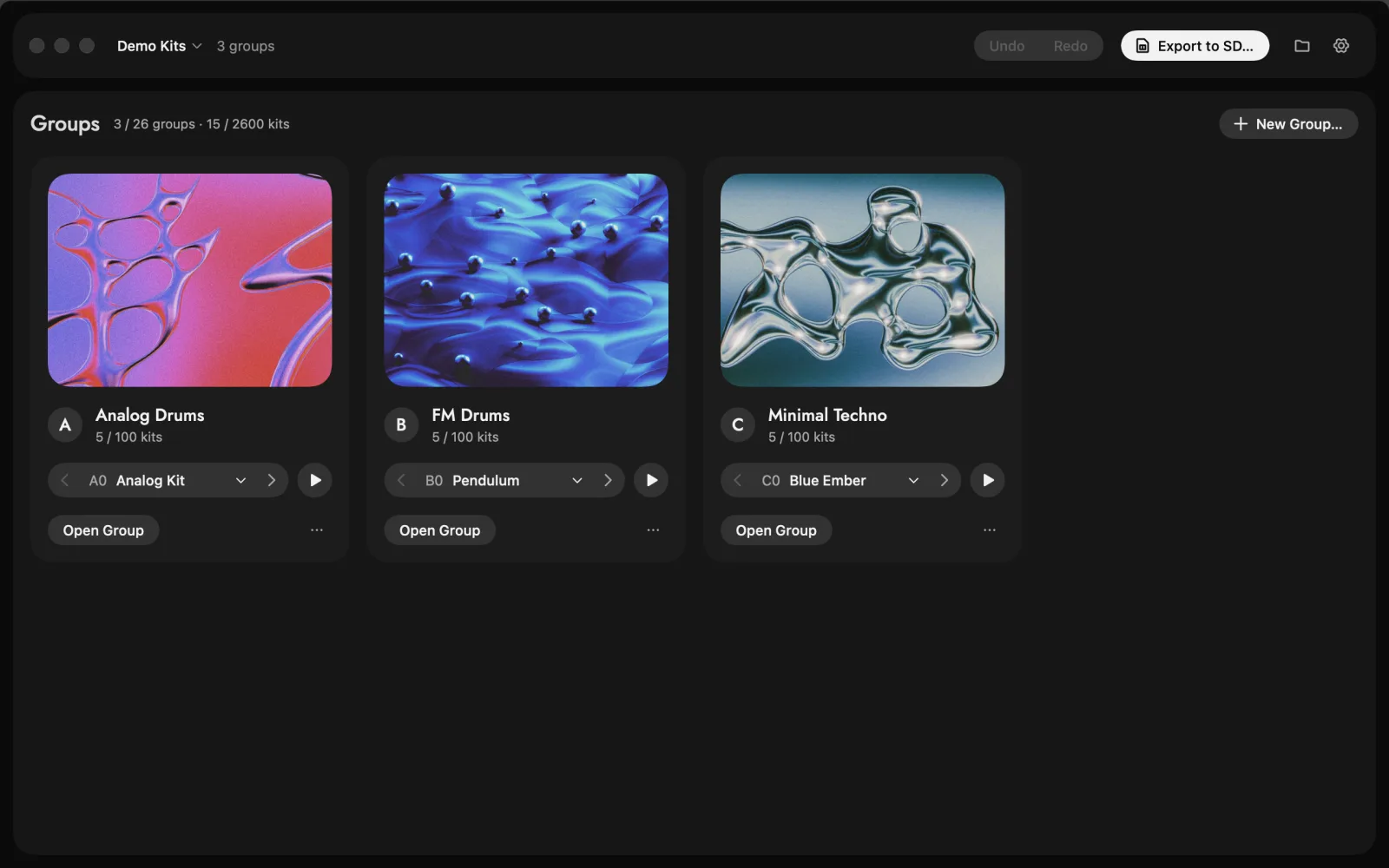
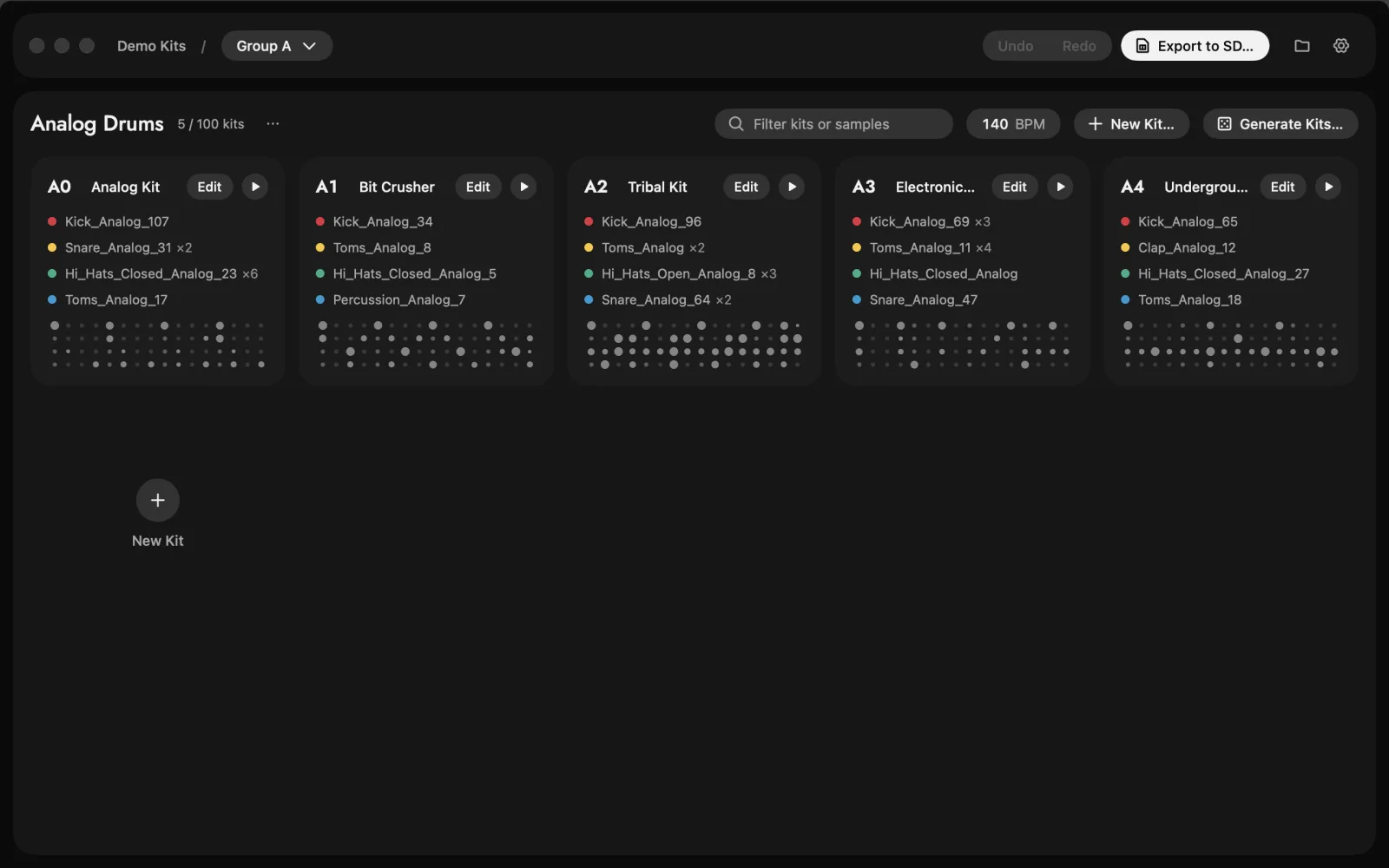
- Groups A to Z, up to 100 kits each: the same 2600 folders as the Rample's card.
- Drag tiles to reorder kits; their numbers follow. Rename a kit right on its tile.
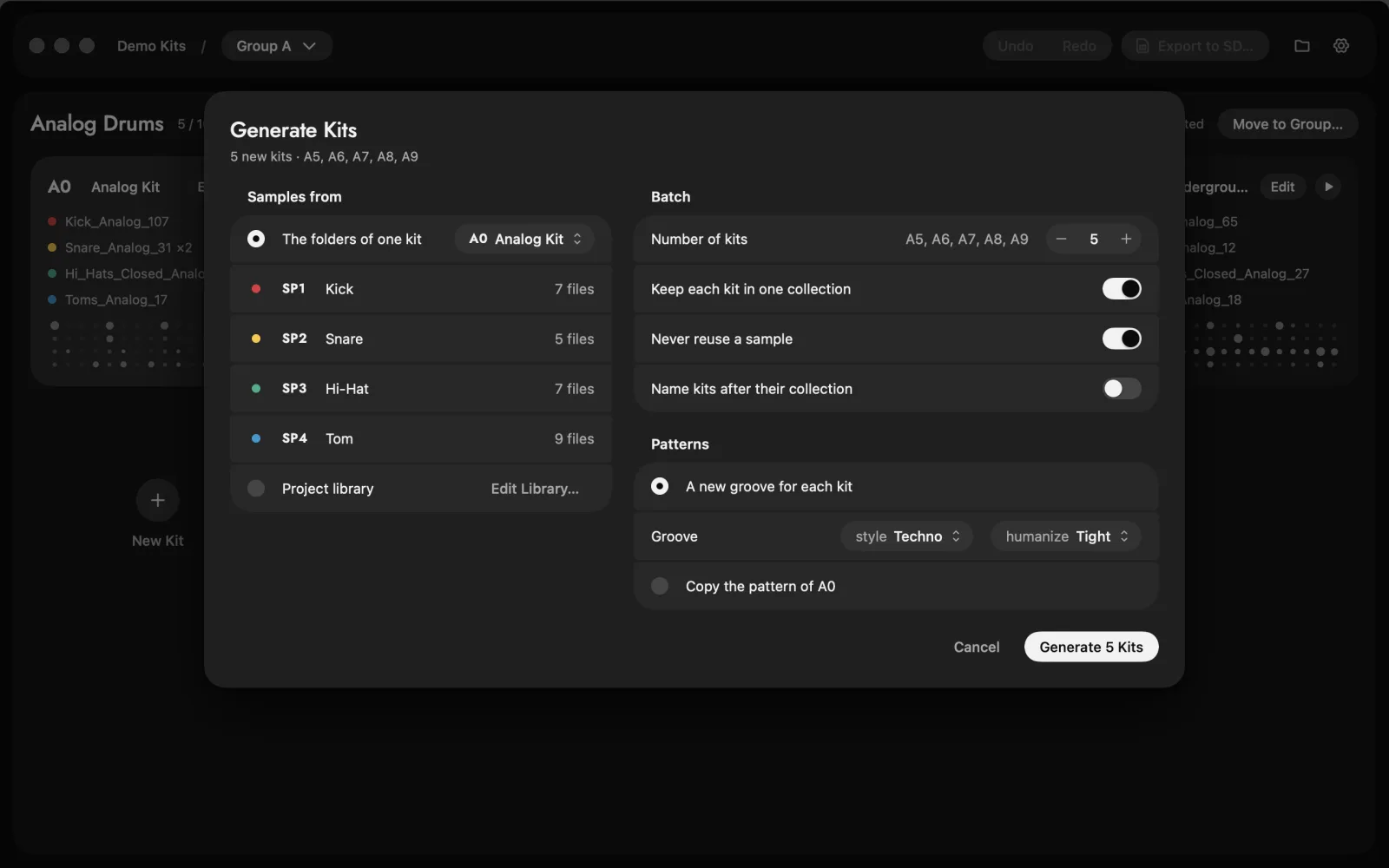
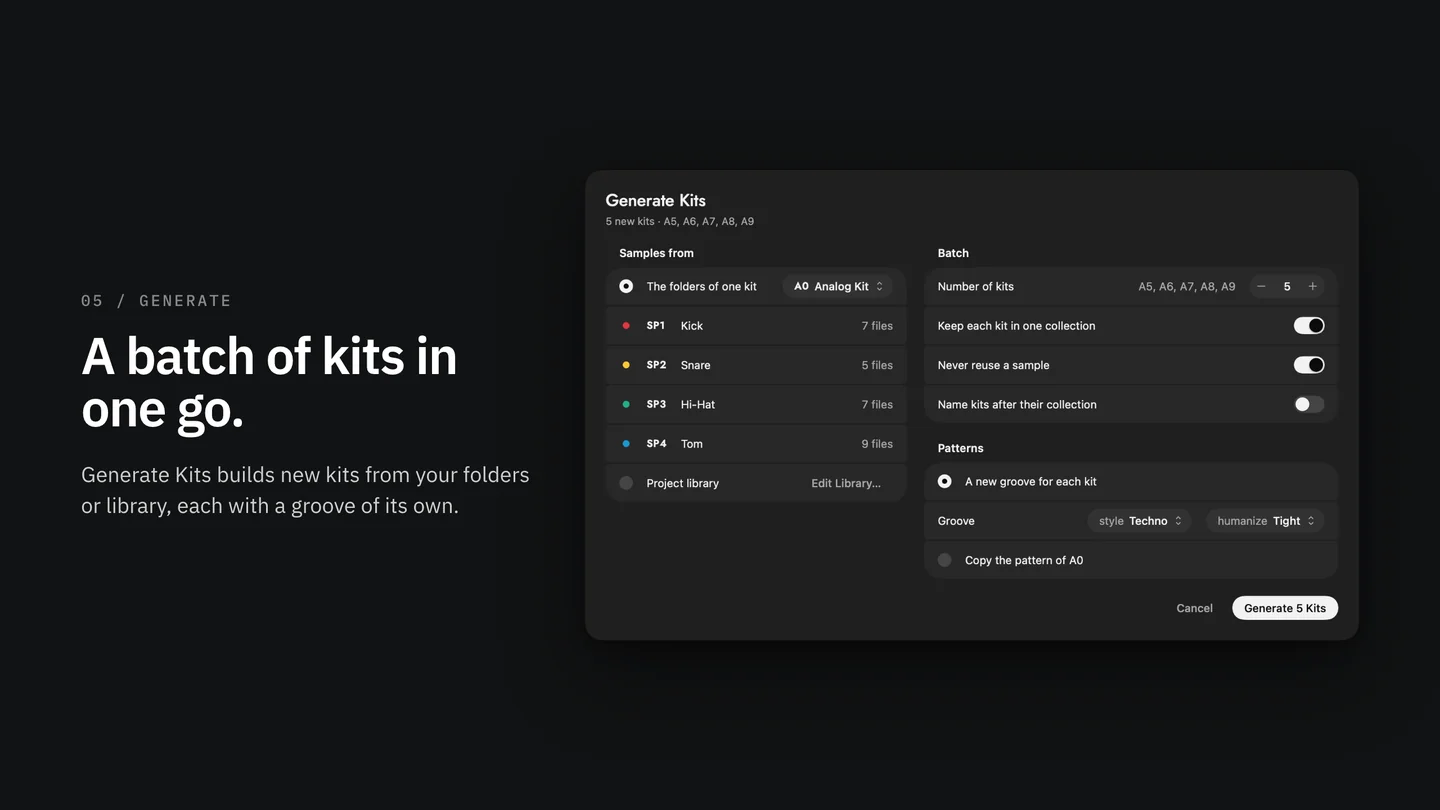
- Generate Kits makes a whole batch from your sample library in one go.
Export to SD
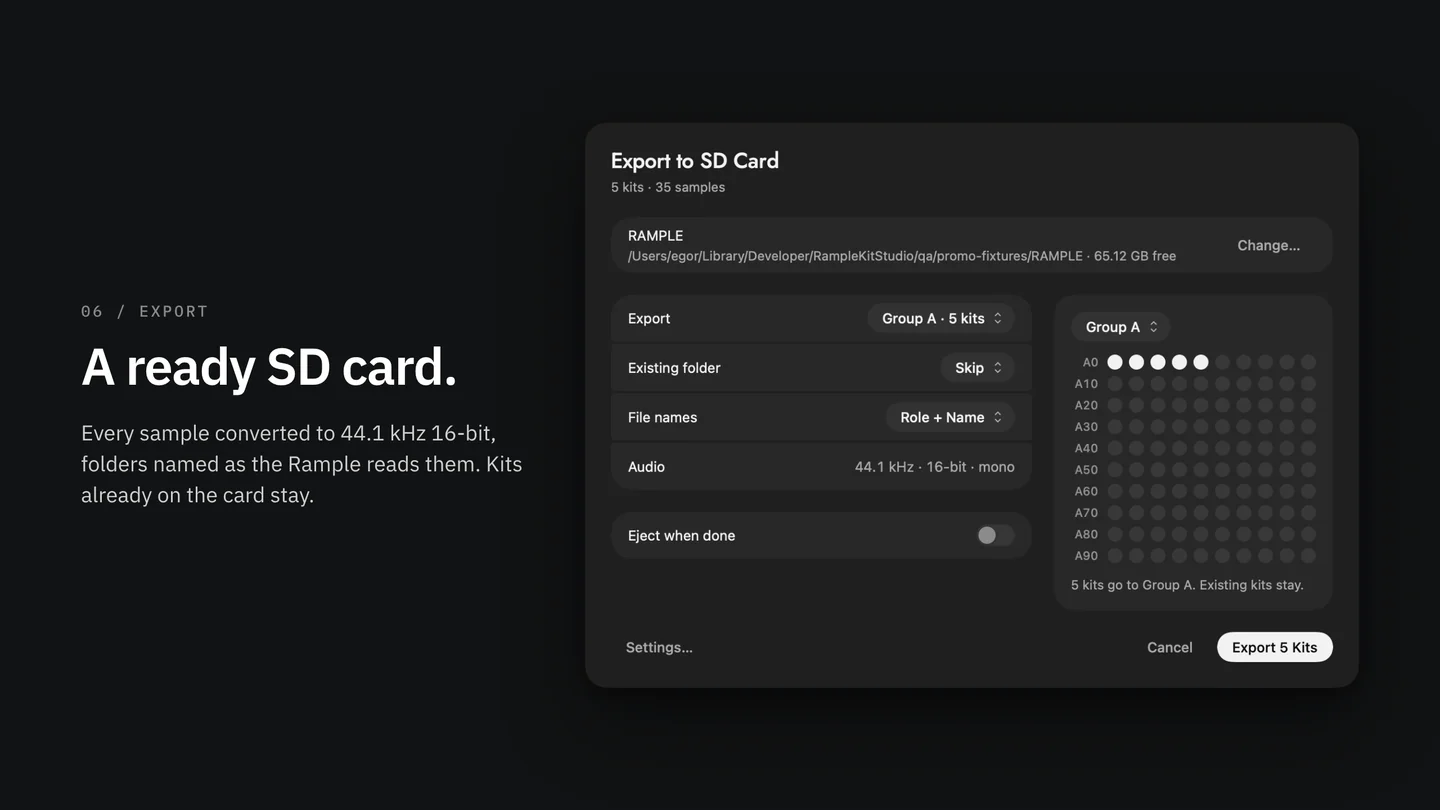
- One click writes a ready card: every sample converted to the Rample's format (44.1 kHz, 16-bit), files named by voice, folders A0 to Z99.
- Choose to skip or replace kits already on the card. Your other files stay where they are, and macOS's hidden files are cleaned off the card.
Demo Kits included
- A free library to start with: 15 kits in three groups (Analog Drums, FM Drums, Minimal Techno) with 80 original one-shots by SynthyCraft. It opens on the first launch.
Requirements
- A Mac with macOS 14 Sonoma or later, Apple Silicon or Intel.
- A Squarp Rample and its SD card (FAT32), with a card reader.
License
- One key works on up to 3 Macs. Activate once, then it runs offline.
- The key comes in your receipt email and stays in your Gumroad library.
Support
Write to hello@synthycraft.com, not to Squarp. If Kit Studio doesn't work for you, write to me for a full refund.
Kit Studio for Rample is an independent app by SynthyCraft. It isn't made, endorsed or supported by Squarp Instruments, and it isn't associated with them. Rample is a registered trademark of Squarp Instruments.
macOS · Squarp Rample
Kit Studio for Rample
$29
Buy nowAlso from SynthyCraft
More apps
Free