
Elektron · Groovebox
Octatrack MKI MIDI CC chart
The CC chart of the first Octatrack: playback, amp, LFOs and effects of an audio track, mixer, scenes and crossfader, plus the note, arp, LFO and CC pages of the MIDI tracks.
88 parameters · 12 sections · plain CC, no NRPN
Playback6
Amp5
LFO6
Effects12
Mixer4
Track state6
Scenes3
MIDI tracks16
NoteAUTO ch8
ArpAUTO ch6
MIDI LFOAUTO ch6
CC bankAUTO ch10
No parameter matches. A number finds that CC exactly, a word finds a parameter or a section.
How the Octatrack MKI takes CC
Channels
The first eight groups listen on the audio track's own TRIG channel, or on the AUTO channel for whichever track is active.
The groups marked AUTO ch are MIDI track parameters. They only answer on the AUTO channel, in MIDI mode, with CC DIRECT CONNECT off.
Numbered slots
Playback 1 to 6 are CC 16 to 21 and follow the machine on the track. The two effects take CC 34 to 39 and CC 40 to 45 and follow the effect you loaded.
Source
Transcribed from the Octatrack User Manual, then read against it a second time. The same chart is a printable PDF. Found a wrong number? Write to hello@synthycraft.com and it gets fixed.
Questions people ask
What CC is the crossfader on the Octatrack?
Crossfader is CC 48, in the Scenes group, with Scene A on CC 55 and Scene B on CC 56.
Why do the Octatrack MIDI track pages not answer my CC?
Those groups only listen on the AUTO channel, with the Octatrack in MIDI mode and CC DIRECT CONNECT switched off.
What CC is track level on the Octatrack?
Track lvl is CC 46 and Cue level is CC 47, on the track's TRIG channel. Amp Volume is CC 25.
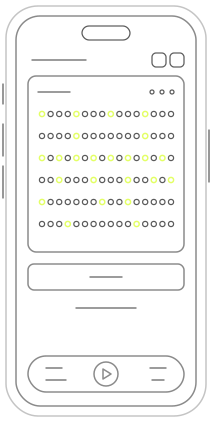
Sequentia for iPhone and iPad
Turn these knobs from your phone
Sequentia has this chart built in. Pick the Octatrack MKI and its real controls are on your iPhone or iPad as knobs and switches, with a looper for knob movement and tempo-locked LFOs on any CC.